Any data in your MT5 Manager. Any report you can imagine.
Report Tool reads directly from the MT5 Manager API — every field it exposes is a raw input you can turn into a column. There's no fixed list of "supported reports": if the data exists in the Manager, you can shape it into a report once and run it, or schedule it, forever.
From raw data to a scheduled report
MT5 Manager API
Every field the Manager API exposes — accounts, deals, balance ops, positions.
Formula engine
sum_balance(), sum_withdrawal() and more, composed and pivoted however you need.
Template
The exact columns, in the exact order, saved as a reusable design.
+ Account filter
Whose accounts this report covers.
+ Date strategy & schedule
Any period — hourly to monthly, any day, any time.
Delivered
To Telegram, exactly when you said, no one pulling it manually.
"Every Monday at 08:00, send our partnerships team a net-deposit leaderboard for the past week, broken down by IB group and country."
- Data used
- Balance operations (deposits, withdrawals) joined with each account's
groupandcountryfield - Formula
- net_deposit = sum_balance(date_from, date_to, type=deposit) − sum_balance(date_from, date_to, type=withdrawal)
pivot: country × ib_group - Account filter
- Group mask matching IB-referred client groups
- Date strategy
- Relative — "last 7 days", re-evaluated on every run
- Schedule
- Weekly, Monday 08:00 → the partnerships team's Telegram channel
Built once as a template, saved as a ready-made, attached to a schedule — nobody on the partnerships team ever opens the Manager or pulls a spreadsheet again.
A formula builder, not a fixed template
Columns are built visually from functions like sum_balance() and sum_withdrawal(), referencing date parameters and other columns — with a code view for anything the visual editor can't express.
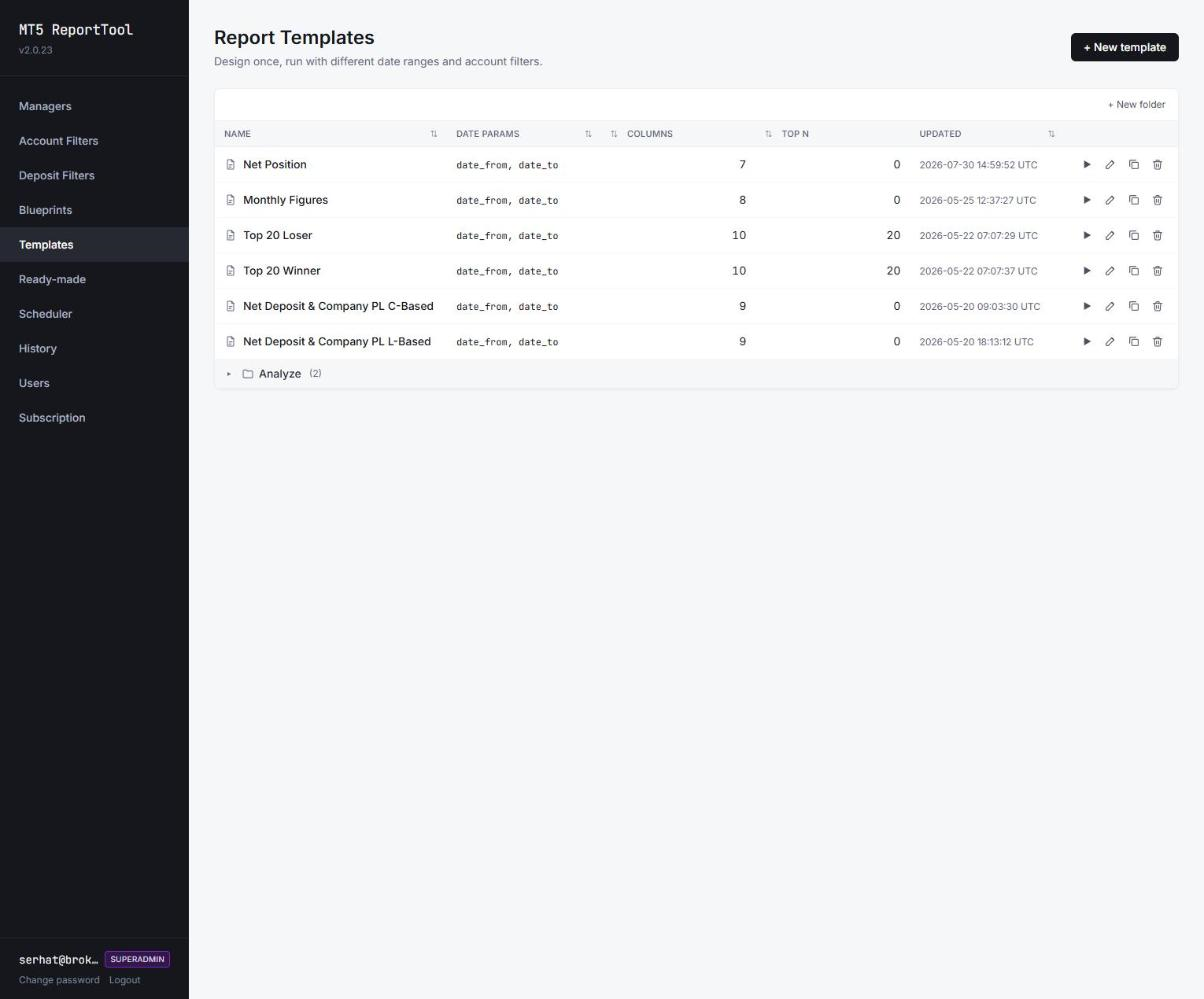
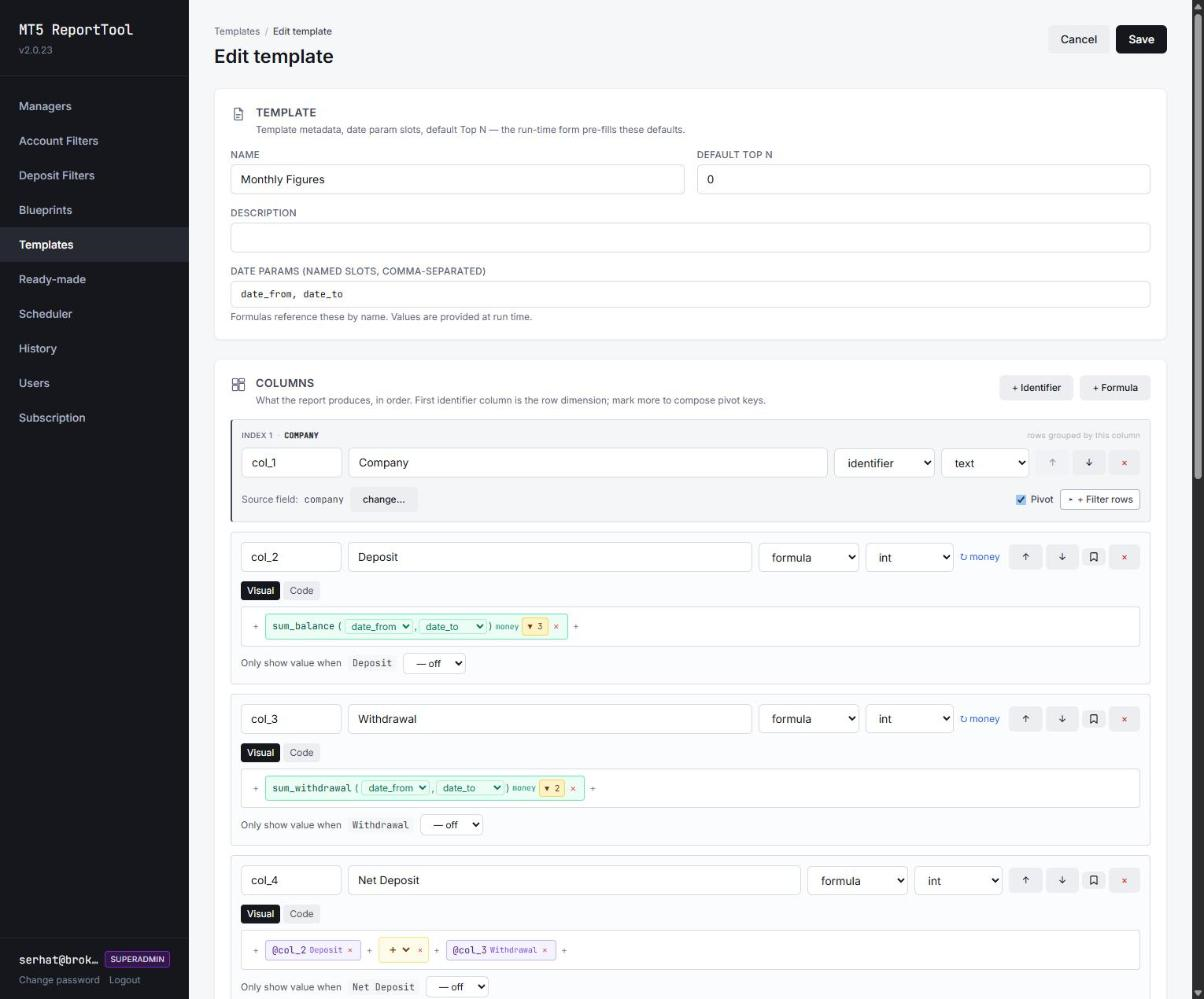
From building blocks to a one-click report
Template
Columns, pivots and formulas — designed once.
Account filter
Reusable group mask, regex or login range.
Date strategy
Relative — yesterday, this month — or fixed.
Ready-made report
Saved as one bundle — run with a single click, any time.
Delivered to Telegram, on schedule — not pulled manually
Hourly, daily or weekly, at specific times, weekdays-only if needed. No inbox to check — the report lands in chat as a CSV or a screenshot.
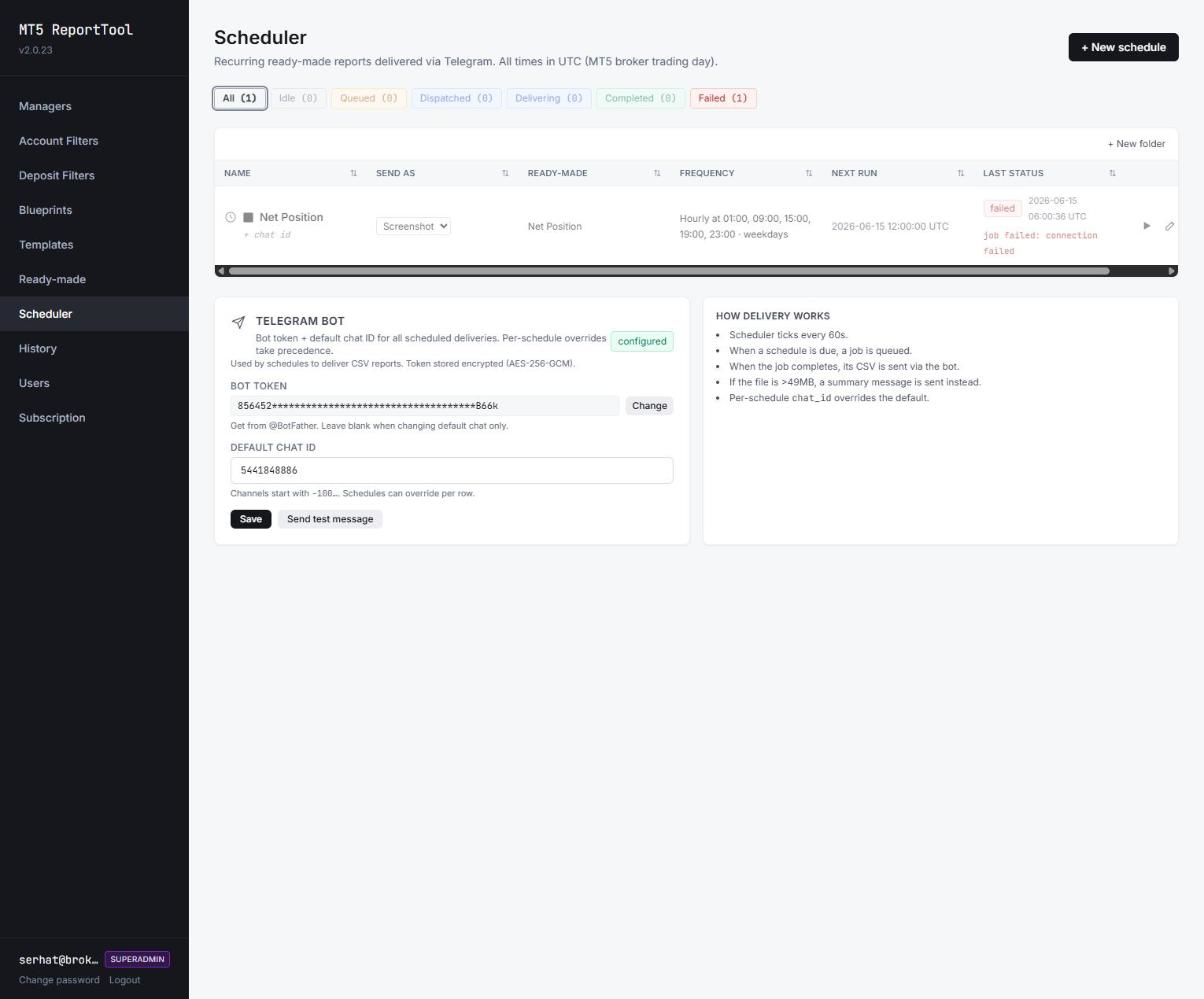
- Recurring schedules tied to any saved ready-made report
- Per-schedule chat override — a different Telegram channel per recipient
- Failed runs show the reason (e.g. connection failed) right in the list
- Files over 49MB send as a summary message instead of failing silently
Scheduler ticks every 60s
Checks every schedule's next-run time.
Due job is queued
The ready-made report runs for its configured scope.
Sent via Telegram
CSV or screenshot, to the default chat or a per-schedule override.
Reusable account filters, not a one-off query
Define who a report covers once — group masks, regex patterns, a login range, extra filters like group or comment — and reuse that filter across every template and ready-made report that needs the same scope.
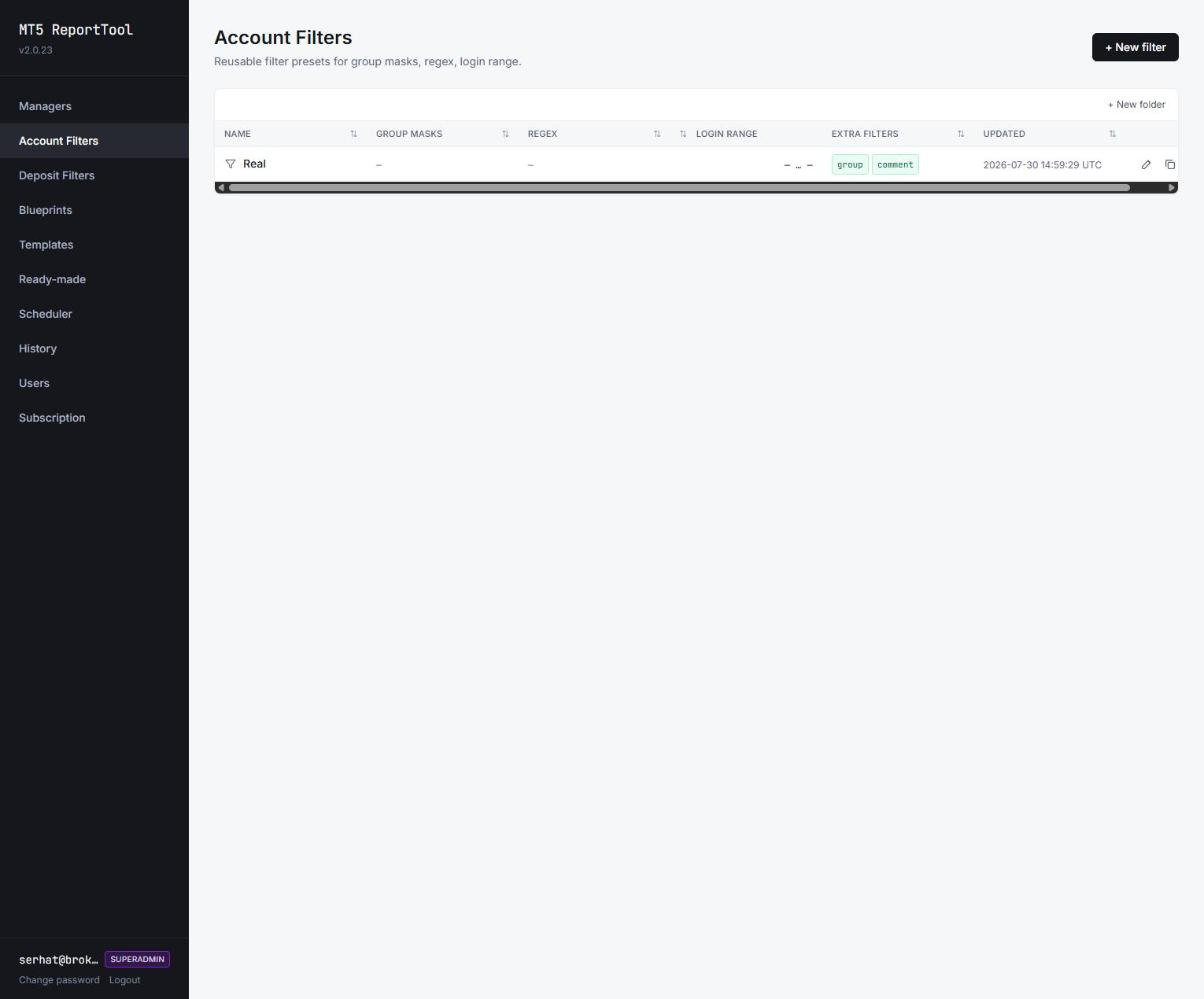
At a glance
- Report Design
- Reusable templates with a visual formula builder (columns, pivots, conditions)
- Scheduling
- Hourly / daily / weekly, specific times, weekday-only
- Coverage
- Volume, commission, swap, deposits, net position, P&L
- Servers
- Multi-server MT4 & MT5 consolidation
- Delivery
- Scheduled Telegram delivery (CSV or screenshot), per-schedule chat override
Frequently asked questions
Yes. Any ready-made report can be scheduled — hourly, daily or weekly, at specific times, weekdays-only if needed — and is delivered automatically via Telegram as a CSV or screenshot, so management and finance receive the numbers without manual pulls.
Related Solutions
Explore other tools that work alongside Report Tool.